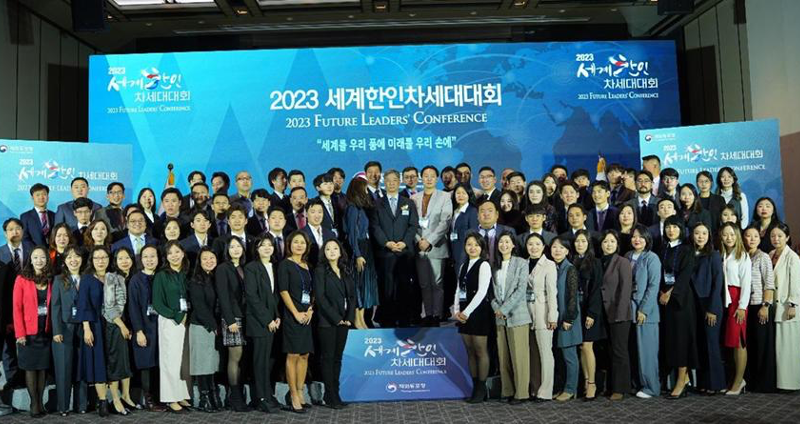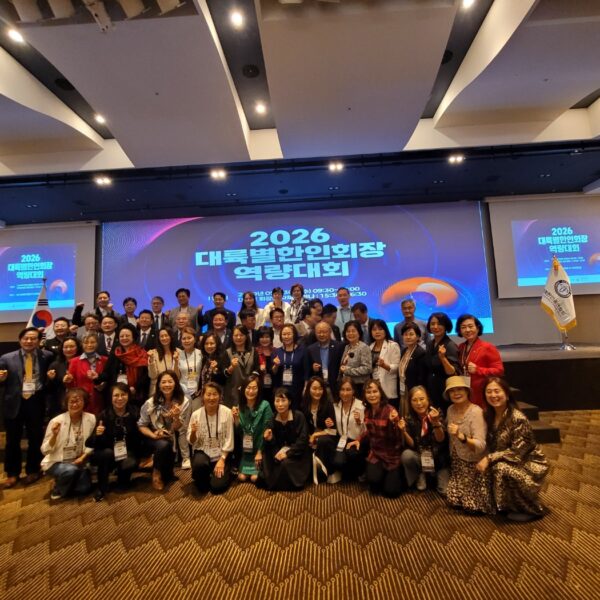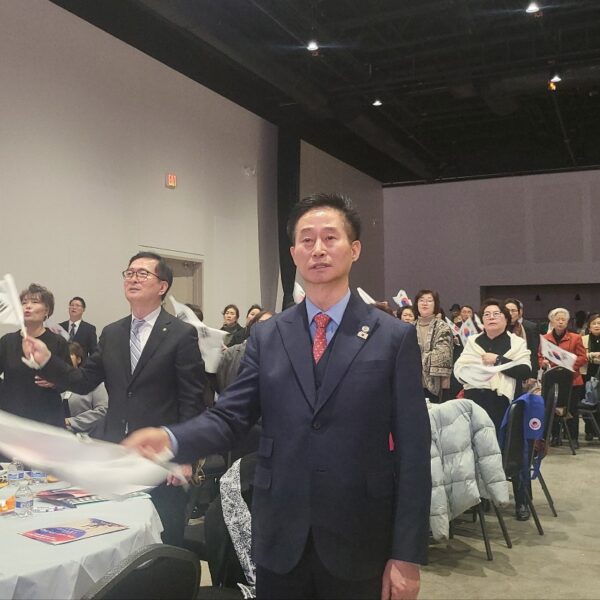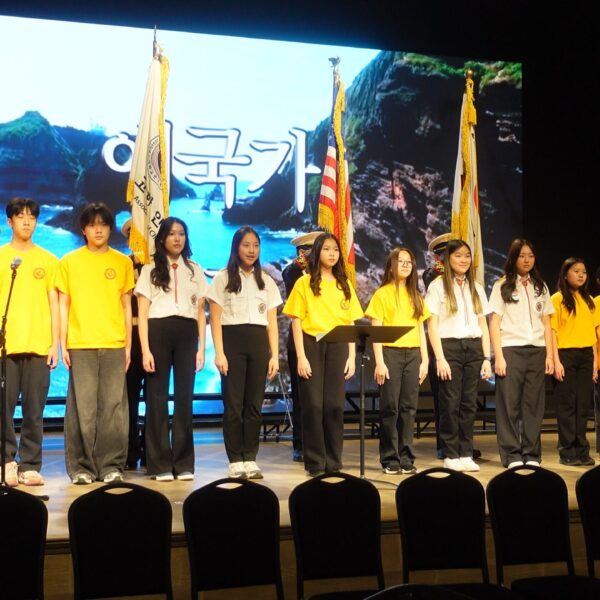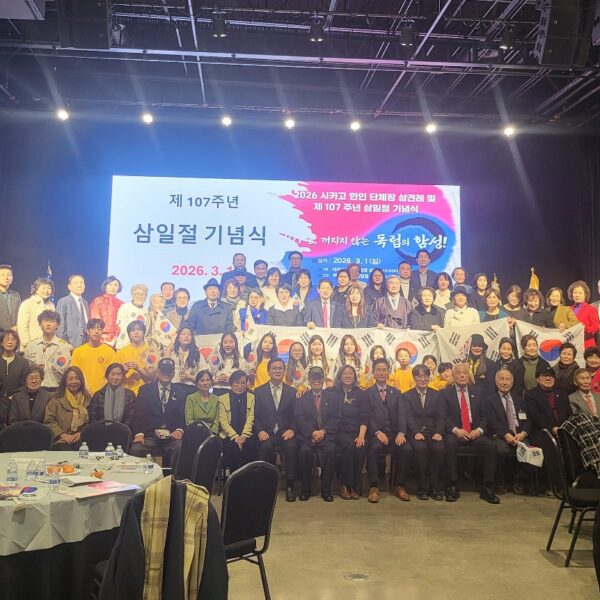


미주한인회총연합회는...

  • ‘미주 지역에 거주하는 한인들의 단결과 협력을 증진하고,한인 사회의 이익을 위해 노력하겠습니다.

  • 한인들을 대표하여 다양한 사회, 문화, 정치, 경제적 이슈에 관여하고 미주 한인들의 권익을 옹호하는 역할을 할 것입니다.

  • 또한, 한인들 간의 소통과 공동체 의식을 강화하고 한인들의 사회적, 경제적 발전을 돕기 위해 다양한 프로그램과 행사를 개최하겠습니다.

  • 재외동포들의 화합, 단합을 위해서도 노력하겠습니다. 더 나아가 미주지역 타민족들과도 함께 연계하며 더좋은 이웃이 되도록 노력하겠습니다!

총회장 서정일

  • WordPress.org blog: Your Guide to WordCamp US 2026
    by Nicholas Garofalo on 2026년 07월 13일 at 1:07 pm

    August 16-19, 2026 | Phoenix Convention Center, Phoenix, Arizona WordCamp US 2026 returns for another year, this time in Phoenix, Arizona, for four days, August 16 to 19. It comes at a moment of real energy for WordPress, as artificial intelligence reshapes everyday workflows, the business of building and maintaining sites is shifting, and new people keep discovering the platform every day. Four tracks address this moment, covering AI, Honing Your Skills, Technical WordPress, and Beginner WordPress. Between them, there is something for everyone, whether you lead an agency, freelance for local clients, write code for a living, or are building your very first site. Whatever draws you in, you will leave Phoenix better equipped and better connected than ever. Get Your Tickets Sign Up for Contributor Day Phoenix itself rewards anyone who adds a day or two to their trip. The capital of Arizona sits in the Sonoran Desert and pairs a lively downtown with a rich arts and food scene. The Roosevelt Row arts district is known for its galleries, murals, and independent restaurants. It is also home to one of the largest art walks in the region. Nearby, Chase Field and the Footprint Center host professional baseball and live shows, and the surrounding desert offers striking scenery at places like Papago Park and the Desert Botanical Garden. Start with Contributor Day The week begins with Contributor Day, a full day set aside for giving back to the project that makes everything else possible. Attendees will gather in teams to improve WordPress itself, from Core code and documentation to design, training, accessibility, and translation. WordPress is so unique because we’re not just a product; we’re a movement. Matt Mullenweg, WordPress Cofounder Contributor Day is open to everyone, whatever your skills, and whether or not you have ever contributed before. Come and experience the open source collaboration that is at the heart of the project. Signing up in advance helps us prepare our veteran contributors and provide you with the best experience. Explore Real-World Projects on Showcase Day Day 2, Showcase Day, is dedicated to real-world WordPress projects and focuses on how teams develop features, manage publishing, and run demanding sites at scale. It brings to life the kind of work collected in the WordPress Showcase, the directory of standout sites built on the platform, from global brands like Disney to community publishers and institutions like NASA. Past WordCamp US Showcase days have brought teams from the likes of Wikimedia and CANCOM to explain how they manage large, high-traffic systems. Other sessions took a builder’s perspective on catching bugs faster with automated testing and even running the Block Editor inside a custom app. Dive Into Two Conference Days The two main conference days will bring a full slate of sessions across four tracks. First among them is the AI track, which treats the technology as a tool to handle with care rather than a headline to chase. Its sessions set guardrails for AI-assisted development, prepare for a web where AI agents become the visitors a site must serve, and weigh the legal and ethical questions of putting AI tools in the hands of clients. Speakers from companies like Elementor will be taking a look at where the web is heading, while keeping the focus on what teams can adopt today without giving up control of their work. The Technical WordPress and Honing Your Skills tracks cover the craft and business of building with WordPress. On the technical side, sessions dig into modern development workflows, automated testing with tools like the browser-based WordPress Playground, and plugin pipelines. The Honing Your Skills track adds practical guidance on pricing, maintenance, and how the agency model is changing as clients ask for more. The Beginner WordPress track keeps the door open for newcomers, with approachable sessions that make your first WordCamp less daunting. Hands-on work runs through all of these tracks, so alongside the talks, attendees will find workshops and working sessions where they can build something real and leave ready to apply it to their own projects. Not all of the value happens in the session rooms. On the show floor, the Happiness Bar is a free, drop-in help desk where you can sit down with a volunteer WordPress expert and work through whatever has you stuck. The Sponsor Hall next door is where many of the best unplanned conversations happen, and its Career Corner gives anyone weighing their next move a relaxed place to browse the job board, meet company reps, and see who is hiring across the ecosystem. Plan Your Trip to Phoenix Getting to Phoenix is straightforward. The Phoenix Convention Center sits in the heart of downtown, less than five miles from Phoenix Sky Harbor International Airport (PHX) and about 15 minutes away on the Valley Metro light rail. WordCamp US has a room block at the Sheraton Phoenix Downtown, close to the convention center, so book your hotel before the block fills, and reserve your ticket if you have not already. The full event lineup and details live on the WordCamp US 2026 site, and the conference closes with an evening social before everyone heads home. Reserve your ticket Find accommodations Plan your trip Explore Phoenix Help Us Spread the Word! Whether attending in person or following along online, share your experience and help welcome others to the WordPress community. Use the #WCUS and #WordPress hashtags to tell your story on social.

  • Open Channels FM: Understanding Open Source Law and AI Impacts in Modern Software Development
    by Bob Dunn on 2026년 07월 13일 at 8:54 am

    In this Open Web Conversations episode, host Anne Bovelett chats with lawyer Carlo Piana about open source software's legal challenges, AI's impact on coding, and the importance of proper licensing and attribution.

  • Gutenberg Times: Gutenberg Changelog #132 – Proposals for Core, Calls for Testing, WordPress 7.1 and Gutenberg 23.4 and 23.5
    by Birgit Pauli-Haack on 2026년 07월 12일 at 10:57 am

    In episode 132 of the Gutenberg Changelog podcast, host Birgit Pauli-Haack and guest Ellen Bauer explore the latest updates within the WordPress ecosystem. The conversation centers on the releases of Gutenberg 23.4 and 23.5, the recent WordPress 7.0.1 maintenance update, and the strategic roadmap for the upcoming WordPress 7.1.A significant portion of the episode is dedicated to major merge proposals destined for WordPress 7.1 that aim to evolve the core software. These include “Core Abilities” for AI agent integration, the new “Knowledge” post type for managing site standards and guidelines, and “Design System Theming” to enhance consistency and accessibility via CSS custom properties. The hosts also discuss the shift toward mandatory iframing for the post editor in block-based themes, a critical architectural change designed to improve content rendering.Beyond core architecture, the episode highlights user-focused improvements such as enhanced responsive editing controls, which now allow for granular canvas resizing without preset limits. They also touch on media-related updates, including aspect ratio controls in the media editor, and improvements to the Icon block. With WordPress 7.1’s Beta 1 approaching, Birgit and Ellen emphasize the importance of community involvement, encouraging developers and site owners to participate in ongoing “Call for Testing” efforts. Whether discussing React 19 status or new grid layout properties, the episode serves as a comprehensive briefing for anyone looking to stay current with the rapidly changing landscape of the block editor and WordPress core development. Show Notes / Transcript Editor: Sandy Reed Logo: Mark Uraine Production: Birgit Pauli-Haack Show Notes Special Guest: Ellen Bauer On X (former Twitter) @ellenbauer WordPress.org Ellen Bauer Bluesky ElmaStudio Previews appearances on the show Gutenberg Changelog #124 – Gutenberg 22.0 and WordPress 6.9 Gutenberg Changelog 117 – WooCommerce Starter Theme and Blocks, WordCamp Europe, and Gutenberg 20.7 and 20.8 Gutenberg Changelog #105 – Gutenberg 18.9, Block Themes and WooCommerce Gutenberg Changelog #88 – WordPress 6.4 and Gutenberg 16.4 and 16.5. Announcements Call for Testing: Responsive Styling Modal Media Editor Client media processing and the Real-time collaboration outreach effort Call for Testing: Unicode email addresses Community Contributions Merge Proposal: Expanding WordPress Core Abilities Merge Proposal: Guidelines built on Knowledge Merge Proposal: Design System Theming What’s released WordPress 7.0.1 WordPress 7.0.1 RC1 WordPress 7.0.1 Fixes Registration Spam, wp_kses() CSS Corruption, and 7.0 Admin Design Glitches Roadmap to 7.1 Post Editor iframed Post editor: always iframe #74042 iframed Editor Changes in WordPress 7.0 (February 2026) Preparing the Post Editor for Full iframe Integration (November 2025) Blocks in an iframed (template) editor (June 2021) Punted from 7.1 The Classic block stays in the inserter for WordPress 7.1 React 19 upgrade temporarily reverted in Gutenberg Gutenberg releases What’s new in Gutenberg 23.4? (June 17, 2026) Docs: Auto-generate per-block API reference pages from block.json. (77612) Proposal: Auto-generate Block Editor Handbook docs from block.json Documentation pages: Core Blocks Reference What’s new in Gutenberg 23.5? (July 1, 2026) Stay in Touch Did you like this episode? Please write us a review Ping us on X (formerly known as Twitter) or send DMs with questions. @gutenbergtimes and @bph. If you have questions or suggestions, or news you want us to include, send them to changelog@gutenbergtimes.com. Please write us a review on iTunes! (Click here to learn how) Transcript Birgit Pauli-Haack: Welcome to our 132nd episode of the Gutenberg Changelog podcast. In today’s episode, we will talk about proposals for core, calls for testing Gutenberg 23.4, Gutenberg 23.5, and whatever side ideas we have about 7.1, which is in the works. I’m your host, Birgit Pauli-Haack, curator at the Gutenberg Times and a full time core contributor for the WordPress open source project sponsored by Automattic. With me today on the show, and I’m very delighted to tell you that is Ellen Bauer, product manager at WordPress.com and early adopter of block themes. Thank you for joining me, Ellen. How are you today? Ellen Bauer: Thank you very much. Always happy to be here. I’m great. I just landed back in Bangkok this week where we are. I’m staying here a little bit longer with my family this year from Germany, visiting family and attending a meetup. And yeah, it’s good to kind of do that travel because it always inspires me to get out of a routine. And yeah, I’m really glad I’m here now and motivated. Birgit Pauli-Haack: Yeah. Ellen Bauer: To get back into working, improving WordPress. Birgit Pauli-Haack: That’s a great time to spend in Germany. And I hope you had luck with the weather. Ellen Bauer: Well, there was this heat wave in the second week. It completely knocked me out, to be honest. Birgit Pauli-Haack: Yeah, that was really hard. And a lot of people say that. Ellen Bauer: It was great and went on the last day I went to Legoland for the first time, which was also an experience and exhausting, but great. Birgit Pauli-Haack: That’s here between Munich and Augsburg. Ellen Bauer: Yeah, I think it’s close. Yeah. Birgit Pauli-Haack: Yeah, between my first time. Oh, nice. Yeah, maybe I should go there too. But it is fun. Ellen Bauer: It is fun. Maybe not. I don’t recommend to go in the summer on a Sunday, which we did, but. Oh yeah, that’s actually really fun. Birgit Pauli-Haack: Family day. Yeah. So you mentioned you attended the meetup in Porto. What was your takeaway from the meetup with digital? Ellen Bauer: So it was actually the main reason I came to Europe for it was the first time all products meetup from Automattic in beautiful Portugal for me, also the first time I’ve been to Portugal, which shouldn’t happen to not visit before. But it was really cool. I love Portugal. Really lovely people, beautiful vibe, nice weather. Yeah, it was really relaxing, really a treat. And then very inspiring and motivating to be in the product group for the first time all together in a nice setting and we had amazing conversations. For me, I also got to know my team a little bit better because I just sort of recently switched into dot com, so that was helpful. But yeah, also a lot of meaningful, deep conversations and I’m really, really motivated after that meetup. Birgit Pauli-Haack: Oh yeah. So when you said meetup, I’m still in the community brain, so I thought it might have been a WordPress meetup because I spent some time. And that’s probably also the reason why my brain went there instead of the internal. Because I spent some time with meetups, local WordPress meetups in Salzburg and in Erfurt and also in Munich. I restarted the meetup here in Munich with a few of the original founders and some other people and. And it’s a totally different vibe than a WordPress conference. Ellen Bauer: That is true. I love meetups. Birgit Pauli-Haack: You meet 15 maximum 20 people and then you learn more about how they use WordPress, what they really move a normal user. So it kind of grounds you much better than kind of always being in the contributor section, kind of. Ellen Bauer: So that is true. Well, there was WordCamp Europe, which I didn’t attend because it was just so much. I attended WordCamp Asia, which I also loved this year. That was such an amazing experience and very motivating. And I talked to a lot of people who are meetup organizers in India and I really now want to visit one of their meetups. It sounds fun. I also visited the meetup here in Bangkok before and I love the people there, the really tight community. And I’m also. I have been thinking for many years now that I should actually start a meetup in our town in New Zealand. I haven’t committed, but I’m always coming back thinking about it. So maybe I should just commit and do that because it would be cool to have like a local. Birgit Pauli-Haack: Yeah. Ellen Bauer: In New Zealand. There aren’t many around, but it would be cool. Birgit Pauli-Haack: Well, the first thing that you need is a co-organizer. So don’t start until you have a second person to do that because we travel a lot. Well, I travel a lot and I cannot be at every meetup, so I need somebody else to do that. So that was kind of back of mind. Ellen Bauer: That’s a good advice. Birgit Pauli-Haack: Yeah. And the meetups in India, they’re really big. They’re 40, 50 people. Ellen Bauer: I talked to someone and. And they have 200 people every month on Surat. I was like, I want to come. Yeah, it’s amazing. Like, I want to visit. Birgit Pauli-Haack: It’s a small word camp for an evening kind of thing. Ellen Bauer: That is so true. Calls for Testing Birgit Pauli-Haack: All right. Yeah. So work for 7.1 is progressing and there are calls for testing out, and this is the first time that there are so many out there. There are five of them. And if you want to learn what’s really in 7.1, there’s no better way to take a deep dive and heed the call for testing. So there’s a call for testing for the responsive styling and yes, it’s coming to WordPress now. And then there’s a call for testing for the new modal media editor that opens up when you click on the crop icon in the toolbar of an image block or a cover block. And then there is the call for testing for the client media processing. That’s a feature that comes to 7.1 where the client, the browser is actually doing a lot of work in uploading the upload side of the image uploads and the resizing and then dumps it into the WordPress media library. There’s also a real time collaboration outreach effort that is also a call for testing. And then there’s a call for testing for getting Unicode into email addresses. And that’s kind of fun too. So the testing has done an amazing job putting those calls for testing together because you get instructions on how to use it and videos to show you how to use it and then the instructions also for the testing. So your mental work on how do I test this is already done. You’re just going to follow the script and, and then have room in your mental room to observe your feelings for whatever you’re doing and kind of try to, to verbalize them and share your feedback. So it’s really interesting and I hope you dear listeners are going to heed those calls. One or two of them. You don’t have to do all of them. Yeah, I don’t grade you, but there will be a test. Yeah. Community Contributions Then there are also two. Well, I said two, but there are actually three merge proposals from the contributors. There’s new things coming to WordPress Core. One is expanding the WordPress Core abilities. It’s a merge proposal to add three read-only abilities to cover the settings, content and users for AI. And it gives AI clients real tools to call so the agents can understand what your site’s configuration, post and people are doing. There’s a discussion should this be in core, should this be a plugin and all that you can read up on the post. And the second one is also for AI is the guidelines to build knowledge on your website. Yeah, what’s your tone about what’s the tone of voice, the expression, what the topic is about and what the members are, what the standards are and all the notes for revision and capabilities. So an AI agent could follow those instructions as well. And for people who manage multiple sites with one AI they can actually it’s different for every site. So it’s really important to have that on the site to give that that’s a new content type and new settings pages for these things. So you can even use your AI to update those guidelines. There’s one thing and then of course the last one is the bigger one and that’s a merge proposal for the design systems theming Andrew Duthie published a merge proposal bringing design tokens and new theme components to WordPress built by the Gutenberg Components team. But it turns the hard coded admin styles into CSS custom properties so your plugins and screens stay consistent and accessible. Then a color ramp tool generates harmonious accessible scales from just two seed colors and the user color scheme reaches the site editor which will come into I think 7.1. So with a dark mode on the horizon. So it’s a good time to get involved in the discussion now, dear listeners, and to make your point of view listen to and converse with others on the impact for you and your business and for your clients because that’s where the decisions are made. Some of them are already made but they are loosely held, so to speak. There’s a whole aspect of WordPress is we have strong opinions but they’re loosely held. If you have a good argument and you have a good use case or a different point of view, you are listened to. Of course if aired respectfully and even if it’s not respectful it should be because we all want to do the same thing. So the links to all the merge proposals and calls for testing will be in the show notes. You get to pick what you are interested in and so that’s a whole thing that happened in the last three weeks when we didn’t have a Gutenberg change log. So I wanted to catch you up. Any thoughts on that Ellen, that you want to share with our listeners? Ellen Bauer: I think on the merge proposals but I think for the calls for testing the responsive styling of course sticks out to me because we have been calling for that for so long and the user the feedback was always there like what is that without responsive styling? So now here it is. So yeah go ahead and test it and I will do the same and kind of contribute to make it better or improve what. What we can. But here we go. We finally have. I think the number one ask always this is missing in Gutenberg. Birgit Pauli-Haack: Yeah. I think the number one ask is not the responsive design because Gutenberg is responsive in certain areas. It’s a viewpoint. It’s a media kind of thing. Yeah. So what is a tablet? What is a mobile. And to change things for those screen sizes. And there was a big hesitation and there’s. On the developer blog, there’s an article about intrinsic design that’s built into Gutenberg. And I think the thinking was, okay, intrinsic design is what comes after media queries. Comes after. So because we need to also talk to what is component in the container queries in CSS and all that. And at the start of Gutenberg people wanted to push the envelope of intrinsic design and then see what’s missing. And. And now we know where it all goes and how to. To change it. And there is a. Yeah, we talk about it a little later when we come to that. Yeah, but so that’s kind of. That part why it took so long, I think was the reason why I kind of went on the drain there. Ellen Bauer: That is true. I’m glad that we didn’t do like earlier versions of it. It seems late, but yeah, there’s. There’s a reason. Birgit Pauli-Haack: But I think, yeah, a lot of plugin companies actually filled that gap quite nicely. I also saw a few implementations where you didn’t have three viewports or breakpoints, you had six, so. And I kind of couldn’t imagine that a normal user can keep in their head six different sizes to control the styling and when something needs to be changed to find it again where that actually was changed. I get the hesitation. So yeah, yeah.. Ellen Bauer: You quickly go a little overboard with that. And I’m also glad that we didn’t do that on the core level. What’s Released – WordPress 7.0.1 Birgit Pauli-Haack: Yeah. So that brings us to what’s released and it’s release week kind of thing. So on Wednesday and we’re recording this on Friday, July 10, Thursday, July 9, WordPress 7.0.1 was released with bug fixes from the major release. And the release candidate announcement has a list of all the fixes in track and from the Gutenberg repo, I’m preparing an article for the Gutenberg Times. I will probably put in the show notes about what the fixes actually did is the WPKSS or however say that CSS corruption on some of the admin design glitches and some more. So you can have a summary of that. Yeah. On Wednesday, just the day before 7.0.1, a user ask in the core channel, what is. I see all the communication. Yeah. What is the latest version actually, and at that time it was still 7.0, but we say but tomorrow it’s going to be 7.0.1. 7.0.1. Yes. Yeah, yeah. So 7.1 last month Anne McCarthy posted the roadmap 7.1. It was aspirational and also very concise with an outline and links to the tracking issue for the many features contributors have been working towards. Beta 1 of 7.1 is scheduled for next week. That’s July 15th. And by then we will know the full picture of what made it and didn’t make it into the release features from the Gutenberg plugin releases 22.6 through 23.6 will come to 7.1 unless they’re behind an experiment flag or plugin or plugin only as guardrail 23.6 release candidate. And that’s what’s getting into the beta version is on July 14, so one day before the beta version, because that’s where all the NPM packages are created and all the things get into the branches. Right feature branch. The final release of 23.6 is moved to July 22nd. That was kind of decided by the release tech leads to get it all just in time for beta and organize that. So the deadline for enhancement into the plugin on 7.1 is July 14, the day before beta. So if you’re a contributor and you want to get the feature that you were working on in this weekend is probably crucial because it also needs to be reviewed and approved. So give people time to get in there. So yeah, what should be on your radar for 7.1 is the mandatory iframe of the post editor. We mentioned it before. It actually has also a lead time to come to this point is the post editor runs inside or the block editor should run inside an iframe because it isolates the content from your admin styles and makes the viewport units and media queries work correctly against the editing canvas rather than the browser window. And in 7.1, iframing becomes more enforced for block based themes or for all themes because it ensures that canvas behaves predictably and the blocks render accurately for both the post editor and the site editor, template editor and pattern editor and plugin developers. So plugin developers who have not updated their Block collections from version 2Block JSON version 2 to 3 should actually upgrade to make this all work. If you want to catch up on the newest discussion, there’s a Gutenberg PR that’s called Always the post editor for book theme. And that’s the 79819. And if you put that in your playground, you can actually add some of the plugins or your staging site, or add it to the staging site, then you can test your things. I think the biggest problems are sites that are maintained by people that do not read the make blog or do not listen to podcasts or read blog posts about their site or the software. And those are sites that haven’t been maintained for a while, otherwise they would have already upgraded things. Yeah. Ellen Bauer: So block themes need to do anything too. They haven’t. No. Right. Ellen Bauer: I haven’t looked into that. Birgit Pauli-Haack: It’s a problem for blocks. Yeah. Ellen Bauer: That are in the block plugin collections. Birgit Pauli-Haack: Yeah. That only. They were only meant for post editor and have never been used inside editor or something like that. Because those would have broken already. Because the site editor since 2020 kind of uses an iframe version. So if you use the block in a template or use the pages thing from the site editor, the pages administration from the site editor, you will know when the block breaks. And in the post editor, if you go into the console, you see the notification that it’s going to be deprecated. But if you’re only in the post editor and never look at anything else and those blocks might break if they’re not updated. Ellen Bauer: What should they do if this happened to them? Birgit Pauli-Haack: There are some guardrails in place and there were two PRs. That one is the hard kind of, okay, we do all the iframe insight and that’s going to be in beta. And in beta, listening to the feedback will decide if there will be a switch to the other less hard choice there in terms of saying, okay, if it’s a block theme, it’s going to be an iframe post editor. But if it’s not a block theme and. Or if there are blocks on the page that are on the old version, like the version 2, then it will not be iframed, but that is subject to change. It’s kind of. There’s a trial and error kind of process here to figure out what is the best way move forward. Because the first post blog post about that was actually published in June ‘21, so five years. And then there was another one in November 2025, and there was another one in February ‘26. So there is a lot of leeway or runway for agency developers and plugin developers to kind of update, but sooner or later there will be a push to make it final and then deal with the consequences. Yeah. Anne McCarthy’s roadmap included two updates that we already know have been already punted. So that’s the update to React 19 and the deprecation of the classic block. Those things have been punted. And there are blog posts on the make blog for the reasons and next steps for that. It’s pretty much the classic blog where there was a lot of communication around it that said, okay, maybe it’s not a good time yet. And for the RAC 19 there were too many backwards compatibility issues, but it’s going to come. So it just needs a little bit more runway to get final to that point. All right. Any thoughts about that? Ellen Bauer: Not really. I’m excited for 7.1. I think we haven’t mentioned the release time. Is that still planned for WordCamp US and like August 19th. Birgit Pauli-Haack: Yes, the planning is July 15th being beta and then August 5th being release candidate and August 19th final release on the last day of WordCamp US. Ellen Bauer: Okay, cool. I’m excited. Birgit Pauli-Haack: Yeah, I’m excited too. There are nice features in there and there are nice updates to the site editor there and I’m very excited about that. Gutenberg 23.4 And now that brings us to Gutenberg 23.4. Let’s go and talk about things. Ellen Bauer: So that was released June 17th. We’re also going to talk about the next release 23.5 right after. So let’s start with this one first. So I think the most exciting things in there are related to media. And the first thing that is pretty exciting is if you load media into the post editor, you now get like a little notification snack bar that kind of tells you the progress of your uploads. Like if you load dump, just dump in like 20 images you’re going to see. And you also I think timed first image, second image, third image. We are used to it, I don’t know from apps and stuff. So I think that is really, really helpful to see the progress of the loading there. Birgit Pauli-Haack: Yeah. And Adam Silverstein did an amazing job to get this all done. There’s a second one that also that the upload process is now enabled. So when it’s interrupted because you’re offline or something, it also resumes automatically the upload on the when the connection returns. So this would save quite a few hurry up and wait kind of thing. When you’re maybe on a train or in a country where you don’t have stable Internet connections to upload your media. Right now, I only highlighted that because it’s in the same thing that the client side media processing is now geared towards 7.1. So the plugin’s only guardrail has been removed and it can be merged into WordPress. Enhancements The next one is the playlist block. It now has a visualization style selector so it has the playlist lock. When you try and test it, you’ll see there is a visualization kind of where the music builds some animation on top of the track and you can select the styles now for that. And also it now has a track length setting so you can set up the settings for that as well. Ellen Bauer: Another thing I kind of liked because I’ve built that before is if you have, I don’t know, on a WooCommerce theme or something, if you want to have the log out log in or for any other kind of purpose, you can now get that into an inner block of the navigation submenu. The lockout lock in. That wasn’t possible before. It’s a small thing but very helpful for whenever you want to have that in a drop down or sub menu. Birgit Pauli-Haack: Yeah. If you have a membership site or subscribers only content and you. You offer them a nice accessible way to log in and log out. There’s a very minimal change, but you might need. You will notice it. It’s the time to read icon has been renamed to time. So it’s not. Might be getting rid of redundancy, but I’m not sure it’s even clearer. It’s clear enough. So yeah, that’s the change. Ellen Bauer: Yeah, I think that’s mainly kind of to reuse it, to be able to reuse it for more things. Right. Birgit Pauli-Haack: Yeah. Ellen Bauer: Another thing that I think is a little bit bigger and quite helpful is that now it’s possible that columns and gallery blocks can be transformed into grid variations for layout styling. I think that’s kind of cool. I think I wanted to do that many, many times. Birgit Pauli-Haack: Yeah, me too. Because I forgot that I have a grid block and I tried to do things with the columns block. Ellen Bauer: Yeah, yeah. So often you kind of start out in a column and then you realize no, that should be a grid. Birgit Pauli-Haack: And then again for the media. But this time it’s out of the block editor. The media editing modal has changed and it has some new features, better features, new libraries. And we talked about it before on this podcast. But now you can reorder the details field has been reordered and then now you have aspect ratio controls for the mobile toolbar and they refactored a little bit the modal layout in total. But this is a great, great tool. So these are all just the usability issues. The main feature was already in 23.2 or 3 and there are editable attachment fields. And the mobile tool. The mobile toolbar has been updated to include the aspect ratio controls. Also uses the zoom uses now plus and minus buttons. Yeah. Instead of the spyglass. Ellen Bauer: Oh yeah. That is actually very helpful an update on the dashboard. And you maybe have to help me out if I’m not 100% sure if I understand that correctly. So we always had the grid columns and now they are opinionated. So pre designed responsive. Is that correct if I say that like in your dashboard, like the two columns, I think it’s maximum four columns. It doesn’t go more than four and then it reduces like it nicely responsive by default, right? Birgit Pauli-Haack: Yeah. It goes from 960 desktop width, so four columns to two columns between a tablet kind of size, between if it’s smaller than 960 to 600 and if, if it’s smaller than 600 or 600 and smaller, it’s going to one column and has a mobile kind of view there. So it’s definitely responsive. But that’s the dashboard. It’s about the admin dashboard. It’s not in the block editor. So that grid has nothing to do with a grid block in the block editor. So we have a little issue there with using the same words for different things. But that’s because it’s all grid based. But it’s a good thing. And contributors have an experiment on redesigning the dashboard and also let blocks going in there and all that. So it’s. It’s quite interesting to see that there are more additional features in there like this day before. Right. So if you’re in a block, you can. They’re figuring out how to put the previous day and previous years. So if you have a blog for 30 years or 10 years, you. You get. Or even five years. Yeah. You get a notification, what you published about this time of year, last year or something like that. Ellen Bauer: Yeah, I like that. Birgit Pauli-Haack: And that was actually kind of nice. Ellen Bauer: It kind of embraces your blogging history. Birgit Pauli-Haack: Yeah, exactly. Ellen Bauer: One actually kind of cool little change that I really like is in the site editor now. The admin color scheme, if you select another one, get translated into the site editor. So I know a lot of people always say, oh, you go into the site editor and it’s this black different looking user interface. And yeah it’s. Why is it so dark? So now it kind of adopts the color scheme you have selected. And I think this like part of bigger work going into kind of making the interfaces more be like one thing instead of. Birgit Pauli-Haack: Yeah. The unification of the admin interface is also a long time coming and I think that’s a, that’s a fantastic step. Yeah. To kind of just make it sure that if you have a green sidebar that it’s also green in the site editor. Ellen Bauer: Yeah. Because why, why wouldn’t it be? Birgit Pauli-Haack: Yeah. So on the client media side again, the ultra HDR JPEGs that are detected by upload and then the originals are kept unmodified and the sizes subsizes. They preserve their ICO standards. So you have a better quality of the Ultra HD but it also handles the bigger sizes. So it’s a nice addition to the media upload feature that we talked about before. APIs Ellen Bauer: And then we also have an update on APIs. Oh, God. You have to help me with this one. I read it, but now I’m kind of like what was that about again? The future it will help. Birgit Pauli-Haack: So it tracks per entity, the view configuration for pages. And then so it’s about the pages of pages, posts, patterns, template parts, templates and have their default layout in the grids being the, the layout grid in the admin. So when you’re in the site editor you have a choice when you look at templates, what kind of layout. You have a grid layout, a list layout and these kinds of things. And now there is actually an API that you can extract that view configuration for several other things. If you’re plugin developers, you can then replicate what the, what the priority is or what the preference is for your user. And you see that in the rest API when you pull out the information and display it again, that you get the configuration with it. I don’t know. Ellen Bauer: So you can practically kind of unlock whatever the configuration was in default and then use that in a plugin or something, right? Birgit Pauli-Haack: Exactly. Yeah. Ellen Bauer: The same screen. Birgit Pauli-Haack: So when you. One use case could be if you are using WordPress as your content container, but have another application that displays things as a headless or in another. In another admin content management system that only talks to WordPress with all and pulls out the things that are in WordPress and measures it up with other data that’s also in the system, then you are able to display the same what the user sees in the WordPress admin, you can display that also in your system at the same time. So that kind of would be one of the use cases that I just made up. Ellen Bauer: Yeah, that makes sense and very good to explain in that way. What else do we have next? Experiments Birgit Pauli-Haack: So the dashboard we talked about that now has also an events widget that can be filled. Documentation I wanted to point out one documentation thing that is really a big deal that Juan Margarido has taken on in April or May and push that through a merge now with 23.4 and that is the auto generation of the per block API reference from the block JSON files. So, until now it was really hard to figure out, okay, what’s the block markup and are there all the supports in there? Because the documentation was handmade. So if somebody updated a block’s configuration and block JSON and added support to it for other things, it would not show in the documentation until someone touches the documentation page. And for 90 blocks or so that are in core right now, that’s a moving target and fast moving target. So he proposed to go in and auto generate that documentation page for humans and AI to map multiple things. So one is the parent relationship with other blocks like think accordion block and the sub blocks there, the attributions in the table, in a table that what the block supports and with links to explain those features. So if you don’t know what the alignment or support of a block is, you can look it up right from there and then what block styles come with core so you don’t have to figure that out from the interface. So like the button comes with two styles, one is the default, the other one is the outline style. Then which CSS selectors are automatically created and then an example of the block markup. And last but not least, also the links to the source of the information and the packages. So you have a full 36-degree view on the block. And because the documentation is auto updated, it comes right there when the new features are kind of added to the block and it will be shown in the documentation. This not only helps the developers and theme developers to have a better handle on or one lookup page or section in the documentation, it also helps AI agents to form a comprehensive space to learn about WordPress blocks. Because I have found that AI sometimes just does a custom HTML block and puts it all there instead of using a column block or cover block or something like that. So this is a very big deal because that’s something where AI elevates human capabilities because he used AI to run the code that parses the block JSON and puts it into the documentation page and then also has that documentation page from the GitHub repo into the developers.wordpress.org document block editor documentation automatically merged there. So this is a big deal. And kudos to Juan Margarido. He also spent some time getting some community input from the documentation team from the Gutenberg leadership. We had a hallway hangout with a Q and A and it finally was merged now. So kudos. Ellen Bauer: Yeah, that’s pretty cool. Gutenberg 23.5 I think now we’re moving to the latest release, 23.5, released July 1. Enhancements I think the first thing we wanted to highlight was that the design system token defaults now with out a runtime which practically, as far as I understand it correctly, helps that all the styling from the design system is just there by default. There’s nothing that got missed. Is that correct? Yeah, because it happened before that some design elements were in style. Birgit Pauli-Haack: Exactly. Yeah. It’s now available as public export. That’s pretty much so you can use it in your own apps that you put into apps. I say it’s also called plugin, so you can use it without having to import it into your plugin via NPM and these kinds of things via the build process. So you can just import it into your app here. But I also want to point out again the match proposal for the design system. Everything there is kind of in a holistic way explained and also what it’s supposed to come to. And these are all plenty of the component work that’s done for 23.5 and released or merged is actually in support of the design system and the UI revamp of the components. Ellen Bauer: I think about the block library. And we have a few other updates in the release. The first one is that the viewport states and the controls are now support for they supporting aspect ratio and all the related controls with that. Birgit Pauli-Haack: So I think yeah, it’s part of the styling system. Yeah. Ellen Bauer: For image blocks featured image block media library also no, no background images. A background cover image and cover block, yeah. Birgit Pauli-Haack: Also yeah, okay, that’s the viewport states is the name that they give the responsive editing screens. So those controls are now also available. There’s also a line item in the block library section of the changelog about the classic block to hide it from the inserter that has been reverted. That’s part of the blog post that I mentioned earlier that was published after the release of 23.4, so I wanted to point that out. The next one is that the media editor modal is now available also for the cover block that comes with that. I think I mentioned that already. But now when you have a cover block with an image, you can also use the media editor modal to crop it, to rotate it, to tilt it and all that kind of things. Ellen Bauer: That’s a nice add on small but also visually really nice to have is that the icon block now has controls for flip and rotate the icons, which is very nice to have like a. One of the things you like kind of expect to be able to do and then it’s super difficult. So now you can do that. And then it also. What is the second one about? Birgit Pauli-Haack: Oh, it just adds a default placeholder instead of to the blockchain. Yeah. So there was also a big push to have text alignment support for some of the text blocks. And now the block quote. I think there were seven or eight blocks that have that again. This time there was missing text align support and that has been rectified. So now you have also text align support for the block quote. Yeah, that was one thing that threw me quite a bit and quite often I always went back to the quotes block. But a quote block and a pull quote have different use cases and a pull plot is an excerpt from the article and you couldn’t make it not centered. It was kind of odd that you couldn’t left align it. Which is my favorite. Yeah. Centered when you have more than one word in the center, you hardly can read it. Or more than one line. Yeah. So I always wanted to be left aligned and I can’t quote just a sentence. Yeah. So I’m really great that they have a text aligned support now that makes sense. Ellen Bauer: It’s these little things that kind of throw you, throw you off if you don’t have them and you’re like, why can’t I then? I think one of the biggest things in this release is that the resizable editor now it’s like fully resizable. You can drag it along. It’s not just mobile, tablet, desktop, you can get your own size and preview it. I think this is one of the biggest releases in this. In this update 23.5. So can you do anything else? You can resize it. Birgit Pauli-Haack: Yeah, yeah. It has a handle though. You can resize it. So you have a handle to make it smaller but not as small as mobile. So you can see if. If somebody uses a tablet whatever and odd width you can kind of test it if, if your settings actually work there or your. If the. The layout is there. But you cannot change the viewports themselves. Yeah. They are not customizable. It’s just so you can see the preview there. Yeah. Ellen Bauer: Which is very helpful like visually. Birgit Pauli-Haack: Yeah. Especially when you get a call and you don’t have that device on hand. Yeah. That a client sees or a client has a complaint from their clients that something is wrong on the view. You can just kind of tested in the block editor without having the device on hand. But there is a long standing request to be able to change the viewport numbers and because right now they are hard coded to I think 768 is the desktop and then 467. Yeah. 468 is the tablet and or between there is tablet and then below is the mobile. But there is good news. There is coming with 23.6. It’s already merged is in PR where you can change that via the theme JSON. So theme developers are now able to change viewport numbers for their sites. There is no UI yet for it. But that’s typical. That theme JSON is first. So theme developers can test it out and can actually use it. But for the UI you need a little bit more information how things are going and how users would work with it. Ellen Bauer: And there’s also been a smaller change on. If you add a note that just. It’s simplified how the show more or less collapse works. If you have a long note you want to collapse it and show more or less. I think that just has been reworked or simplified. Birgit Pauli-Haack: Right. Ellen Bauer: I don’t think it’s anything we see on the user side. Right. It’s more in the background. Yeah. Birgit Pauli-Haack: It’s just faster. Yeah. It’s kind of that. Okay. Mostly performance issue. Yeah. You’ll see a slight change there. There is the experiment of the omnipresent toolbar which is pretty much the admin bar. In the editors you see the admin bar, the black admin bar on top of the screen when you’re logged in and you look at your website from that perspective and you also in the post editor you see the black toolbar but you couldn’t in the site editor or in the other editors. So now the experiment is to show it but then also unify the interface because the design view or the site editor has its own W to go back to the other admin. And when it’s in the admin bar you just click where you normally click to get to the site. So it’s all unification of the interface pretty much. And now you can see the site icon instead of the dash icon if you select it as well in the toolbar. So there has been an ongoing effort and some of it might come to 7.1. It’s on the roadmap for the admin bar everywhere, so to speak. Ellen Bauer: I think one thing that I remember I struggled with quite a lot is the flex behavior of children. So now there has been. Birgit Pauli-Haack: You mean your child? Well, it’s not the flexibility of toddlers. Ellen Bauer: The Flex elements. I love flexbox CSS always have. But I think we always had a problem that they weren’t behaving like exactly like CSS. Flexbox should behave. So now one of the changes has been that so flex children that had a fixed width, this is now like truly fixed. I think it was squishable before. Can you say that? Is that correct? And now it’s like a truly fixed width to zero. So I think that’s one of the things visually that helps a lot. And then the other one was grid layouts now have fill available space, toggle. Is that correct? I think it’s just a toggle in the settings. Right. That you can toggle on and off and then you have auto fill and auto fit behavior. Okay. And this behaves exactly like CSS grid behavior. Birgit Pauli-Haack: Yeah, you would expect. Yeah, that’s pretty nice. There was some. Some quirkiness to the grid block and the grid layouts and I’m glad that Isabella is working on that constantly to improve it and to get back to it. Ellen Bauer: Yeah, she’s doing great work. I met her live at WordCamp Asia this year and it was really pleasant because I love flexbox Grid. I always love these blocks and CSS settings and they never quite worked. How I or like went into that depth, I wish they had. And yeah, she’s. I think, like, she has the same opinions, so it was a good chat. Another thing that is kind of cool and fun to have is that now global styles allow text shadow settings. So, yeah, there’s these options of text shadow, if you ever want to use that in like a cool, fun design or. So now you can set it in global styles, which is really cool. That wasn’t possible before at all, I believe. Right? Birgit Pauli-Haack: Yeah. Ellen Bauer: Right. Birgit Pauli-Haack: It’s a new style support. Ellen Bauer: I really like that. Birgit Pauli-Haack: Yeah, I tested it and it’s really nice. There are some presets in there that come from core, and I still need to figure out or find out how you can switch off some of the styles and how you can add your own styles like you can do with the shadow box. The shadow box has a feature that you can switch out the core styles with your own styles or just switch them off, but you definitely would need that for the texture as well. Ellen Bauer: Maybe we will add that. Birgit Pauli-Haack: Yeah, it’s not there. It’s the first version and the first version is pretty much a minimal viable kind of setup. Yeah. The next thing is again Media Editor modal. It now has some error states. You can magnify the crop to fill the canvas and the current post always includes the initial options. There are also minor fixes, but that is because it gets ready for 7.1 release. So every aspect of it is actually and comes from feedback from the call for testing. The call for testing was actually already issued in I think in May. So it’s already a month in or two months in. So there is already some feedback coming back. The data layer has a feature for the real time collaboration or many features, but one of them stands out is that you can disable collaboration per post. So if you have maybe a recipe or a book post type and you don’t want anybody to collaborate with you on that, you can switch that off. It’s probably best for very visual post types or it’s also necessary for template parts or for navigation. Those are also post types. You can control that now. So there was a for a while in the text controls there was a prop to have the next 40px default size and there was underscore. Underscore was an experimental property and that now has been made the default. So if you had a 36 before or 32 on the default size for the text box, then if you wanted to be in the same realm as WordPress itself, you had to use the underscore next 40px default size prop to have the same sizes of the controls and now those are default now. So you don’t have to do this experimental prop to use but it will change how things work. So you might want to, as a theme developer or a plugin developer, you probably want to check your plugins, your text control components, how they change behavior or at least the default layout. So that’s why I’m calling that out here in the episode. And also a similar thing is known that 23.6 Gutenberg 23.5 bumps. The minimum required version to install the Gutenberg plugin is now 6.94 versions 23.5 and newer. So if you are on 6.7 or 6.8, you are not getting the newest version of the Gutenberg plugin. So I think. Oh, there’s one more. Did I overlook something? Performance Ellen Bauer: No, I think on performance you highlighted that blocks migrate markdown converter from showdown to marked. And what does that do? Birgit Pauli-Haack: It actually is just performed faster. Yeah. Ellen Bauer: Oh, yeah. Okay. Birgit Pauli-Haack: And it also has a different parser, so it might have a say. It’s G. What’s it called? GTM. There is a standard for markdown that comes from GitHub and it now adheres to that standard. Yeah. So that’s updated. It’s a minimum change most people wouldn’t even need to do. But if you copy paste something from GitHub or from other Markdown editors or from your AI agent, it’s a different parsing process. Ellen Bauer: I just researched that and it said that the previous one was like from 2018 or so and this is just like a faster newer version that we updated to. Okay, that makes sense. Experiments And then there was one last highlighted thing on the block library unwrapping. Classic block migration notice experiment. Birgit Pauli-Haack: Yeah, that’s part of the effort to the classic logic. But that has also been reverted so it will not announce that this is deprecated. So it’s important to know that that line item in the change log has been overwritten already with a newer version that comes to 23.6 on July 22. Various Ellen Bauer: And there was another small update on icons to self declare icons color on the icons block. Birgit Pauli-Haack: Oh, nice. Yeah, I overlooked that. I got lost in the changelog already. So. Ellen Bauer: I mean there were a lot of these smaller things. Birgit Pauli-Haack: Oh yeah. So if you have an icon, it can say I’m. I’m only in blue or something like that. What does it mean, the current color? Birgit Pauli-Haack: Oh, current color. Yeah, of course. Duh. Yeah. I was still stuck on tab sync finally second the tab sync because it’s the. For stabilizing it to come into 7.1. The tabs block is still under active development until July 14, so don’t start building on it yet because there’s API cleanup and refactoring going on where the contributors try to nail down the final version before it gets into core. Yeah, that’s the end of it. Ellen Bauer: Wow. Birgit Pauli-Haack: Yeah, we still had a lot to talk about, Ellen. Yeah. So apart from the responsive styling, are you excited about some things that come to 7.1 in the near future? Ellen Bauer: I think for me, being like a Visual X thing builder or and working on blocks, I think responsiveness is a big one and I’m excited to see how. Yeah. How we just kind of improve things. Also, I like that we are looking more into the dashboard and finding ways to unify the experience. I think this is one of the things that always come up that it looks kind of like two different versions, partly outdated. And I think we need to move along and kind of come to maybe not make everyone happy, of course, but come to a compromise that we can all live with and then move forward. I think this would really help WordPress to kind of shine in a way that it doesn’t look outdated or not like one product. I think if we can come together and do that and push for that change, that would be really, really helpful for all of us and for everyone and for WordPress. So I’m excited to contribute and help to make this happen. Birgit Pauli-Haack: Awesome. Awesome. Yeah. Yeah. I like the new blocks that are coming. Of course. I have been a fan of blocks since the beginning of the block editor, so I like that the playlist block and the TAMS block. And finally. The table of content. There is an effort to actually have the table of content come to WordPress. Right now. It’s only available for years in the Gutenberg plugin. Ellen Bauer: I didn’t even know. I thought it would be in. Birgit Pauli-Haack: Yeah. Ellen Bauer: Even small things like rotating icons and stuff like that or having them be the current color and all these grid and Flexbox things. They. We need these things. I think it’s still very, very important to have professional settings like that available. Birgit Pauli-Haack: Yeah. And this is a visual person. You’re probably also happy that you now can have in the group block. Background gradients. Gradients. We all love gradients. I love gradients. I love gradients. Yeah. And there’s these kinds of things. Ellen Bauer: They’re like, why aren’t they there? And so responsiveness. And I think just of kind of growing up Gutenberg and the editing experience. Birgit Pauli-Haack: Yeah. Ellen Bauer: Seems. And even like with AI helping on a lot of things and being able to patch CSS and stuff on onto things to make things better that we don’t have. I think it’s still important that we aim for a really high quality experience in manual editing so people find what they’re looking for and are not frustrated or get lost. I think that’s just the quality we want to stand for and have in WordPress no matter what. Birgit Pauli-Haack: Yeah. Ellen Bauer: I think the standard should like, should be. We aim. Should aim for that as being just there for people, for users. Birgit Pauli-Haack: I think we. We develop, as I say. Yeah. Are kind of really immersed in this AI grace and hype and also the possibilities and the usefulness of AI in our work. There is a danger that we forget that WordPress users that are writers or publishers actually are not using AI to do their work on WordPress. So we definitely need a delightful interface and all these small changes, quality of life changes and the big changes like the responsive editing and the dynamic galleries and whatever is going to come. The modal editor, the media editor needs to be delightful and useful for humans that are kind of having fun and producing more content for the Internet that is kind of. Yeah. Eating it whole, so to speak, with AI. Ellen Bauer: Yeah, yeah, I love that too. Delightful is a beautiful word to use. Yeah. We want to delight people using WordPress and this should be our aim. AI or not, like in whatever. We have to meet users wherever they are, however they want to use the tool. It shouldn’t be, oh, we can leave this stuff now because everyone uses AI. I think if we have a user interface, it would be delightful. If it’s not yet delightful, we have to make it delightful. And AI can only help us to do that because we can contribute faster, we can move things faster. So let’s use AI for that, to delight users to meet them wherever they are for everything we offer, and we do offer a user interface. So here we are with some work to do. Birgit Pauli-Haack: I think that’s a good end of the show today. Thank you so much, Ellen, to be on the show and walk with me through those changes that are coming and if people want to reach you, how is a good way to reach out to you. Ellen Bauer: So I am in the community Slack WordPress community Slack. I’m also on social media, not that active to be fair, but reachable anytime. I think for WordPress community, the community Slack is the best place to reach me. But if you look at my name, Ellen Bauer, you can find me online on all kinds of platforms and I’m oh, I’m actually revamping my Manu and my Little Elmo Studio blog. So there’s going to be a new design and I’m really excited to get blogging again. Also doing a lot more like a few more YouTube videos. I have some ideas for that over the summer month now. So, so wonderful. Yeah, I will share if I have some news on that. Look out for Ellen or Elmer Studio and just reach out anywhere. Birgit Pauli-Haack: Excellent. Ellen Bauer: Yes, I’m always excited to hear from you. Birgit Pauli-Haack: Wonderful. Thank you so much, Ellen. Ellen Bauer: Thank you for having me. Birget, you’re welcome to be on the show. Birgit Pauli-Haack: It’s delightful to have you to overuse that word. Now, dear listeners, the show notes will be published on GutenbergTimes.com podcast this is number 132, 132. And if you have questions and suggestions or news you want us to include, send them to changelog@gutenbergtimes.com that’s changelog@gutenbergtimes.com thank you all for listening. And until the next time, goodbye. Ellen Bauer: Bye.

  • Gutenberg Times: Roadmap 7.1, Gutenberg 23.5, Responsive Styling, Migration to Block themes — Weekend Edition #368
    by Birgit Pauli-Haack on 2026년 07월 11일 at 1:37 am

    Hi there, After a four-week break — courtesy of a sciatic nerve with strong opinions — I’m happy to be back in by office chair and in your inbox. There is plenty to catch up on. Beyond the updates on the new WordPress and Gutenberg versions, you’ll find stories below from WordPress veterans on migrating to and working with block themes on client sites and dive into more complex theme solutions or Don’t let me keep you from your light summer reading. Have a splendid weekend ahead! Yours, Birgit Developing Gutenberg and WordPress The team around release lead Aaron Jorbin pushed WordPress 7.0.1 Maintenance release out the door to update millions of WordPress sites. The update covers 17 Trac tickets and 14 Gutenberg PRs. The full list is available in the RC 1 announcement post from last week. In WordPress 7.0.1 Fixes Registration Spam, wp_kses() CSS Corruption, and 7.0 Admin Design Glitches, I cover the most important fixes for end users and developers of this release. You’ll learn how the registration-spam loophole got closed, which admin design glitches were sanded off, and why developers can finally remove their wp_kses() CSS workarounds. Update your sites soon if auto-updates aren’t enabled. Ryan Welcher compiled What’s new for developers (July 2026), and it’s all about the 7.1 cycle getting real: Beta 1 lands July 15, final release August 19 at WordCamp US. You’ll want to test responsive styling, the React 19 runtime flag, and Unicode email addresses now. Also on your radar: merge proposals for Core Abilities and Guidelines, the 40px component default, icons inheriting color, and Playground’s MCP support. The latest episode is Gutenberg Changelog #131 – Gutenberg Plugin Releases 23.1 – 23.3, Calls for Testing for 7.1 and more Berislav “Bero” Grgičak announced what’s new in Gutenberg 23.5, released July 1. The headliner: you can now drag the editor canvas to any width, with the device preview dropdown and resize handles working together for responsive editing. The experimental Media editor gains a magnified crop canvas, pixel-snapping handles, and Cover block support. Also notable: text shadows in Global Styles, flip and rotate controls for the Icon block, and a minimum WordPress version bump to 6.9. For the next episode of the Gutenberg Changelog, I sat down with Ellen Bauer to chat about what’s coming next for WordPress. We dug into the latest Gutenberg plugin releases (23.4 and 23.5) and the recent WordPress 7.1 update. Plus, we walked through some big merge proposal, like the Design System Theming. our excitement around responsive styling coming to WordPress. It’s a packed episode full of news you won’t want to miss! The episode will land in your favorite podcast app over the weekend. WordPress 7.1 roadmap and more calls for testing Anne McCarthy published Roadmap to WordPress 7.1., scheduled for August 19, 2026. Longstanding styling gaps are being tackled: responsive styling and interactive-state styling let you adjust blocks per viewport or on hover — no custom CSS required. You’ll also find new Playlist, Table of Contents, and Tabs blocks, a smarter command palette, a Design → Identity screen, the admin bar inside the editors, a media editor modal, and expanded Unicode support for email addresses. Also mentioned Real-time collaboration, Knowledge Guidelines, React 19 upgrade, Classic block deprecation have been punted since the posts came out. Beta 1 arrives July 15 and will settle which of the other Roadmap features are in and which will be punted to a future release. The latest Weekend Edition listed three calls for testing. Meanwhile, two more came online: Nikunj Hatkar, this year’s team rep of the Core Test team, posted a call for testing responsive styling. You’ll be able to style blocks differently for tablet and mobile right in the editor — no custom CSS or media queries needed. The underlying PR unifies the resizable canvas with the device-preview switcher. Fire up the linked WordPress Playground instance, walk through the four test scenarios, and share what feels intuitive or broken. Plugin and theme developers should test their canvas integrations, too. Dennis Snell published a call for testing Unicode email addresses. With initial support merged, is_email() and sanitize_email() now accepting non-ASCII addresses like grå@grå.org, and validation aligns with the Web Hypertext Application Technology Working Group (WHATWG) spec. You’ll want to check your plugins and themes: the new WP_Email_Address class gives you structured access to local and domain parts, and a snippet lets you disable Unicode support until third-party integrations catch up. Three Merge Proposals Core contributors put together three merge proposal for new features to be added to Core for public comment. Jorge Costa published a merge proposal to expand WordPress Core Abilities in WordPress, adding three read-only abilities covering settings, content, and users. Building on the Abilities API from 6.9, they give the AI Client real tools to call, so agents can understand your site’s configuration, posts, and people. Settings and post types opt in through a dedicated flag, and management abilities are planned for a later WordPress version. Greg Ziółkowski published a merge proposal for Guidelines built on Knowledge, a new custom post type headed for WordPress 7.1. Knowledge gives your site one shared home for standards, memories, and notes — with revisions, capabilities, and REST access built in. Guidelines is the first feature on top, letting you capture voice, tone, and per-block rules right where writing happens. Although, originally aimed at WordPress 7.1, in their latest comment, Anne McCarthy indicated that it needs to simmer some more before it’s considered for inclusion in WordPress Core. Andrew Duthie published a merge proposal for Design System Theming, bringing design tokens and a new theme component to WordPress. Built by the Gutenberg Components Team, it turns hard-coded admin styles into CSS custom properties, so your plugins and screens stay consistent and accessible. A color ramp tool generates harmonious, accessible scales from just two seed colors, and the user color scheme reaches the Site Editor — with dark mode on the horizon. Plugins, Themes, and Tools for #nocode site builders and owners Anne Katzeff published a tutorial exploring the WordPress Cover Block for parallax scrolls. You’ll learn how the Fixed Background setting turns a Cover block into a layered parallax effect — background, middle ground, and foreground text moving at different speeds. The post steps through nesting a second Cover block, switching which layer scrolls, and improving text readability with grouped backgrounds. A video tutorial rounds it out. She also demos her process in this YouTube video. Carrie Dils shared a case study, One Header, Two Themes, on phasing a legacy Elementor site toward Full Site Editing without a rebuild or content freeze. Using ThemeSwitcher Pro to run two themes side-by-side, she built one shared header in a plugin that both themes render. You’ll learn from five real-world snags — WooCommerce’s hooked blocks, cascade conflicts, routing gaps, query-string bypasses — and why shipping the shared layer first de-risks everything after. Gina Lucia compared WordPress block themes vs page builders on the Ollie blog. You’ll get a clear-eyed walkthrough of what classic themes, page builders, and block themes each handle — scope, design control, performance, lock-in, and maintenance — with side-by-side tables. Her conclusion: block themes combine sitewide design control with visual editing natively, so you rarely need a page builder anymore, though migration costs and team habits can justify keeping one. Elliott Richmond explained why he spent 16 months turning 400+ holiday cottages into WordPress blocks. The kate & tom’s site moved from ACF flexible content to a native block theme, freeing the marketing team from waiting on custom widgets. You’ll appreciate his candor: 10,590 widgets migrated via a purpose-built plugin, re-run against fresh production snapshots, with flaky conversions fixed by hand. Even untuned, PageSpeed jumped from 22 to 67. Wes Theron published a video tutorial, How to Create and Edit Navigation Menus in WordPress, for anyone getting comfortable with block themes. In under ten minutes, you’ll learn how to edit your menu with the Navigation block, add pages, posts, categories, and custom links, and build dropdown menus. Timestamps let you jump straight to the part you need — handy if dropdowns are the only thing standing between you and a finished header. Theme Development for Full Site Editing and Blocks Henrique Iamarino shared how the Automattic Design team built a WordPress theme without ever opening Figma. You’ll follow the making of Crafted, a production-ready theme created almost entirely in the WordPress Editor: Global Styles for typography and spacing, Create Block Theme to save edits to theme files, WordPress Studio for local review, and an AI assistant for finishing-touch hover CSS. His takeaway: the Editor is now a professional design surface. Justin Tadlock explained how to dynamically load template parts in block themes on the Developer Blog. Instead of maintaining a pile of near-identical templates, you can hook into the render_block_data filter and swap a template part’s slug on the fly — say, a different sidebar per post category. His walkthrough covers early returns, fallback behavior, and file setup, and the technique works for headers, footers, and banners, too. “Keeping up with Gutenberg – Index 2026” A chronological list of the WordPress Make Blog posts from various teams involved in Gutenberg development: Design, Theme Review Team, Core Editor, Core JS, Core CSS, Test, and Meta team from Jan. 2024 on. Updated by yours truly.  The previous years are also available: 2020 | 2021 | 2022 | 2023 | 2024 | 2025 AI and WordPress Jeff Paul announced what’s new in AI 1.1.0, the latest release of the canonical AI plugin. Two experiments headline, type-ahead text suggests inline ghost text as you write in the block editor, and key encryption secures your AI Connector API keys in the database. You’ll also find smarter content readiness checks with locale-aware counting, more control over guest comment moderation, a new core/read-settings Ability, and a peek at 1.2.0 plans. Need a plugin .zip from Gutenberg’s master branch?Gutenberg Times provides daily build for testing and review. Now also available via WordPress Playground. There is no need for a test site locally or on a server. Have you been using it? Email me with your experience. Questions? Suggestions? Ideas? Don’t hesitate to send them via email or send me a message on WordPress Slack or Twitter @bph. For questions to be answered on the Gutenberg Changelog, send them to changelog@gutenbergtimes.com Featured Image:

  • Open Channels FM: The Real Challenge of Technological Solutions: Exclusion in the Age of Verification
    by Bob Dunn on 2026년 07월 10일 at 2:34 pm

    David Snead, director of the Secure Hosting Alliance and a long-time Internet policy leader, shares his perspective on the complexities that emerge when technological solutions like age verification are implemented in the digital infrastructure space. Dave’s reflection highlights how the push for more secure, regulated environments can unintentionally create barriers for vulnerable or less tech-savvy

  • 세계한상대회 운영위 기자회견… “9월 인천대회 때 ‘세계한상총회’ 열 것”
    by 이석호 기자 on 2026년 07월 13일

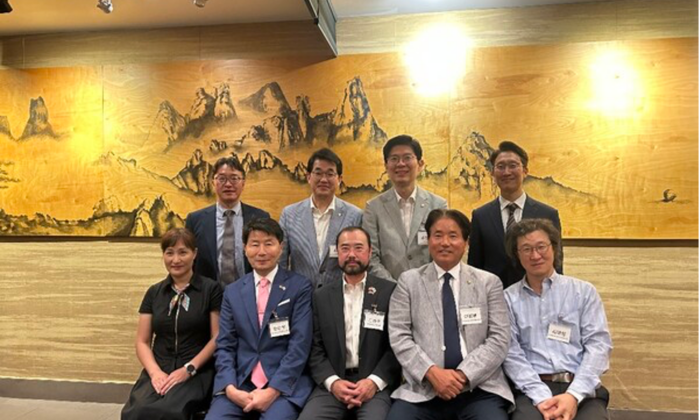
    (서울=월드코리안신문) 이석호 기자제24회 인천 세계한상대회를 앞두고 이를 소개하는 기자회견이 7월 13일 인천의 한 음식점에서 열렸다.오찬을 겸한 이날 간담회에는 세계한상대회 운영위원장을 맡은 미주한인상공회의소총연합회장과, 부위원장으로 올해 대회 조직위원장을 맡은 싱가포르의 윤덕창 아시아태평양한국식품수입상연합회장, 올해 대회장을 맡은 엘살바도르의 하경서 회장 등 8명이 참석했다.황병구 운영위원장은 “세계한상대회가 올해부터 민간 주도로 열린다”면서, “운영위원회 활동 예산이 반영돼 있지 않아 어려움은

  • 2026 세계 한국어 교육자 통합연수 개회식… 정부 4개 부처 공동 주최
    by 최병천 기자 on 2026년 07월 13일

    (서울=월드코리안신문) 최병천 기자 문화체육관광부 최휘영 장관, 교육부 최은옥 차관, 외교부 김진아 차관, 재외동포청 김경협 청장, 세종학당재단 전우용 이사장, 한국국제교류재단 송기도 이사장이 무대에 올랐다.무대 위에 플래시가 켜지고 함께 버튼을 누르자 ‘세계를 잇는 한국어 교육’이라는 글자가 환하게 빛났다.축하공연은 대한민국 여성 댄스 크루 ‘훅(HOOK)’의 무대였다. 리더 아이키를 호명하자 객석에서는 환호성이 터졌다. 마치 콘서트장처럼 “다 함께 소리 질러”라고

  • [공관장인사] 아르헨티나, 포르투갈, 예멘, 밴쿠버, 시애틀
    by 월드코리안뉴스 on 2026년 07월 13일

    외교부가 7월 10일 주아르헨티나대사, 주포르투갈대사, 주예멘대사, 주밴쿠버총영사, 주시애틀총영사를 임명했다. ◇ 아르헨티나= 이종화 신임 대사는 프랑스 리옹 인터폴 본부 특수수사관, 경찰대 경찰학과 교수 겸 위기협상연구센터장, ㈜씨엔에스 대표이사, 한림대학교 융합과학수사학과 겸임교수를 역임했다.◇ 주포르투갈대사= 1995년 외무부에 입부한 서은지 신임 대사는 주샌프란시스코영사, 주베트남참사관, 다자협력·인도지원과장, 주제네바공사참사관, 공공문화외교국장, 주시애틀총영사를 역임했다.◇ 예멘= 2000년 외교통상부에 입부한 정재훈 신임

  • 베를린 한국정원 개원 20주년 기념행사 열려
    by 이석호 기자 on 2026년 07월 13일

    (서울=월드코리안신문) 이석호 기자베를린 세계정원에 한국정원이 문을 연 지 올해로 20주년이 된 것을 기념하는 행사가 열렸다.주독일한국대사관은 “지난 7월 5일 베를린 세계정원에서 ‘한국정원 개원 20주년 행사’가 열렸다”면서, “이 행사에는 독일 정부 관계자, 외교단, 문화 인사들을 포함해 150여 명이 참석했다”고 전했다.베를린 세계정원은 중국, 일본, 한국, 발리, 이탈리아, 영국 등 세계 각국의 독특한 정원을 볼 수 있는 곳이다. 이곳에 한국정원이 조성된 것은

  • 故 최용수 대련한국인회 명예회장 1주기 추모식
    by 이석호 기자 on 2026년 07월 13일

    (서울=월드코리안신문) 이석호 기자 최용수 故 대련한국인회장 서거 1주기 추모식이 지난 7월 10일 중국 대련한국인회 사무실에서 열렸다.고인은 지난해 7월 향년 87세를 일기로 세상을 떠났다. 1990년대에 대련에 진출해 젠창신발소재유한회사(建昌鞋材有限公司)를 경영했던 고인은 대련한국인(상)회 제6, 10, 11대 회장과 중국한국인회 동북3성연합회장, 중국한국인총연합회 고문을 역임했다.한국인회장으로 일할 때 그는 한국국제학교 설립 운동을 벌였고 재임 기간 대련한국국제학교가 설립됐다. 대련 안중근 의사 추모식도 그의 임기 중에 시작됐

  • 재베트남대한체육회, 하노이서 황영조 선수 초청 러닝페스타
    by 이석호 기자 on 2026년 07월 11일

    (서울=월드코리안신문) 이석호 기자92년 바르셀로나 올림픽에서 금메달을 땄던 황영조 선수가 베트남 하노이 교민들에게 자신의 러닝 노하우를 알려줬다.재베트남대한체육회(회장 박희영)는 “지난 7월 5일 베트남 호치민에 있는 내셔널 트레이닝센터에서 ‘황영조 감독과 함께한 러닝페스타’를 열었다”면서 이 행사 사진을 보내왔다.재베트남대한체육회에 따르면 이날 행사에는 하노이 교민 70여 명이 참여해 황영조 감독에게서 올바른 러닝 자세와 호흡법, 워밍업, 부상 예방법 등을 배웠다. ‘몬주익의

  • 키르기즈 김광재 대사, 현지 언론인들과 간담회 개최
    by 비슈케크=전상중 중앙아시아특파원 on 2026년 07월 11일

    (비슈케크=월드코리안신문) 전상중 중앙아시아특파원 주키르기즈공화국한국대사관 김광재 대사와 태경곤 참사관이 지난 7월 9일 현지 언론사 기자들과 가진 오찬 간담회 자리에서 “한국-중앙아시아 정상회의가 오는 9월 16일부터 17일까지 서울에서 개최될 예정”이라고 밝혔다.이 자리에서 김 대사는 “앞으로 정상회의까지 약 70일 정도가 남았다”며 “양국 정부 기관들이 의제를 준비하고 기존 합의사항 이행을 점검하고 있다”고 밝혔다. 그러면서 김 대사는 “지난 6월 한국

  • 브라질한인회, 상파울루 시장 부인 예방
    by 상파울루=박주성 해외기자 on 2026년 07월 11일

    (상파울루=월드코리안신문) 박주성 해외기자 브라질한인회(회장 김범진)가 지난 7월 7일 리카르도 누네스 상파울루 시장의 부인인 레지나 카를로스 누네스 여사를 예방했다.그동안 세계한민족여성네트워크(KOWIN) 브라질지회와 함께 브라질의 주요 인사들에게 한복을 전달하며 한국문화의 우수성을 알려온 한인회는 이날 레지나 예사 한복 치수를 쟀다. 한인회는 레지나 여사에게 맞는 한복을 만들어 선물할 예정이다.브라질한인회는 앞서 보우소나루 전 대통령의 부인과 프레이타스 현 상파울루주지사의 부인에게도 한복을 전달한 바 있다. 최근에는 룰라 현 대

  • 유럽 최대 도나우섬 음악 축제서 한국문화 공연
    by 이석호 기자 on 2026년 07월 11일

    (서울=월드코리안신문) 이석호 기자주오스트리아한국대사관과 한국문화원이 유럽 최대 야외 음악축제인 ‘도나우섬 음악 축제’(Donauinselfest) 기간에 한류 페스티벌을 진행했다.도나우섬 음악 축제는 빈 시내에 있는 도나우 섬(여의도 약 1.3배)에서 3일간 열리는 무료 야외 축제로, 해마다 수백만 인파가 몰린다. 올해 축제는 지난 7월 3일부터 5일간 개최됐고, 아티스트 수백 명이 공연을 펼쳤다.한국대사관은 이 축제에서 ‘Inspire Me Korea 2026’이라는 이름으로 행사를 열

  • 말라위 최초 농업 중·고교… 오스트리아 정종완 회장이 설립 추진
    by 이석호 기자 on 2026년 07월 11일

    (서울=월드코리안신문) 이석호 기자유럽에서 팬아시아라는 대규모 유통회사를 운영하는 정종완 회장이 아프리카 말라위에서 농업기술 중·고등학교 설립을 추진하고 있다.정종완 회장이 주도해 설립한 ‘K-ECO Farm International NGO’에 따르면 정 회장은 최근 말라위 릴롱궤 인근 음송가(Msonga) 지역에 K-에코팜 교회를 건립하고 지난 6월 28일 이를 기념하는 봉헌 예배 행사를 열었다. 이 교회는 앞으로 친환경 농산물을 생산하는 중심지가 될 것이며, 나아가 농업기술 중·고등

  • 5대 시중은행, 700만 재외동포 대상 포용금융 전개할 때
    by 박철의 기자 on 2026년 07월 14일

    이재명 정부가 포용금융을 국정 핵심 과제로 내세우면서 국내 금융권이 발 빠르게 움직이고 있다. 5대 시중은행은 경쟁적으로 수조 원 규모의 상생금융 방안을 발표하고 소상공인과 자영업자, 청년과 취약계층을 위한 지원을 확대하고 있다. 금융의 사회적 책임을 강화한다는 점에서 의미 있는 변화다.하지만 지금의 포용금융은 근본적인 질문 하나를 외면하고 있다. 대한민국의 포용금융은 과연 대한민국 안에서만 끝나는 것인가.오늘날 대한민국은 국경 안에만 존재하는 국가가 아니다. 전 세계 700만 재외동포는 경제와 문화, 외교를 연결하는 또 하나의 대

  • 한국, AI제조 전환시대 선점...스마트제조 국제표준화 주도권 확보
    by 장영환 기자 on 2026년 07월 13일

    인공지능(AI)과 디지털트윈 기술을 기반으로 한 제조업의 대전환(M.AX) 시대를 맞아 우리나라가 스마트제조 분야 국제표준화를 이끄는 핵심 역할을 맡게 됐다.산업통상부 국가기술표준원은 국제전기기술위원회(IEC) 산업자동화위원회(TC65) 산하에 신설되는 ‘스마트제조 표준화위원회(SC65F)’의 간사국으로 우리나라가 선정됐다고 13일 밝혔다. 간사국은 위원회 운영과 국제표준 개발 업무를 총괄·조정하는 역할을 수행하며, 별도 임기 제한 없이 국제표준화 활동을 주도하는 핵심 지위다.SC65F는 제조 현장에 AI, 디지털트윈 등 첨단 디지

  • KB프라삭은행, 캄보디아 ‘에스크로 서비스’ 인가…현지 시장 공략 가속
    by 박정연 재외기자 on 2026년 07월 13일

    KB국민은행의 캄보디아 법인인 KB프라삭은행이 캄보디아 신탁감독당국(TR)으로부터 에스크로(Escrow) 서비스 인가를 획득했다. 이번 라이선스 취득으로 KB프라삭은행은 캄보디아 내 신탁 관련 법규 및 인가 요건을 모두 충족했으며, 조만간 정식으로 서비스를 출시할 예정이다. '에스크로'는 금융회사가 거래 당사자 사이에서 대금을 안전하게 보관하다가, 계약 조건이 충족되었을 때 판매자에게 자금을 전달하는 금융 중개 방식이다.KB프라삭은행은 이번 서비스를 통해 우선적으로 부동산 거래 과정에서 발생할 수 있는 등기권리증 사기나 대금 미지급

  • ‘세계 2위’ 한국 여권 파워…달라진 ‘디지털 입국’ 절차 꼼꼼히 챙겨야
    by 박정연 재외기자 on 2026년 07월 13일

    대한민국 여권이 2026년에도 세계 2위의 ‘여권 파워’를 입증하며 188개국을 무비자로 방문할 수 있는 강력한 이동성을 유지하고 있다. 하지만, 각국이 국경 보안 강화를 위해 출입국 절차를 디지털 시스템으로 속속 전환함에 따라, 단순히 여권만 챙기면 되던 과거와 달리 사전에 온라인으로 입국 허가를 받아야 하는 국가들이 늘고 있어 여행객들의 주의가 요구된다.영국·유럽, ‘디지털 사전 허가’가 여행의 필수 관문으로가장 눈에 띄는 변화는 서구권의 디지털 입국 관리 시스템 도입이다. 영국은 지난 2월 25일부터 기존 무비자 입국 대상 8

  • 조선업 첫 노사정 상설협의체 출범…'업종별 사회적 대화' 제도화 기대
    by 장영환 기자 on 2026년 07월 13일

    국내 조선업의 지속가능한 성장 방안을 논의할 업종 최초의 노사정 상설협의체가 출범했다. 정부와 노동계, 경영계는 조선업 호황을 산업 경쟁력 강화와 노동환경 개선으로 연결하기 위해 상시적인 사회적 대화에 나선다.고용노동부와 산업통상자원부는 13일 서울 프레스센터에서 '조선업 노사정 협의체' 발족식을 열고 운영협의체와 실무협의체 첫 회의를 개최했다고 밝혔다.조선업 노사정이 상설 협의체를 구성한 것은 이번이 처음이다. 협의체에는 민주노총 금속노조와 한국노총 금속노련, 조선업종노동조합연대 등 노동계와 한국조선해양플랜트협회, HD현대중공업,

  • 日,"운전기사 없는 버스 온다”… ‘레벨4’ 무인 공공버스 실증 사업 착수
    by 박정연 재외기자 on 2026년 07월 13일

    일본 정부가 운전기사가 탑승하지 않는 ‘완전 무인 노선버스’ 시대를 열기 위한 본격적인 행보에 나섰다. 단순한 자율주행을 넘어, 승객 응대와 돌발 상황 대처까지 원격으로 관리하는 고도화된 대중교통 시스템 구축이 핵심이다.일본 주요매체 의 지난 7월 4일 보도에 따르면, 일본 경제산업성은 최근 자율주행 5단계 중 특정 환경에서 사람의 개입 없이 운행이 가능한 ‘레벨4(Level 4)’ 수준의 노선버스 실증 사업을 추진한다고 발표했다. 이번 사업은 2027년도까지 일반 버스 차량을 이용해 실제 노선에서 완전 무인 운행을

  • K-뷰티·푸드 중국서 ‘긴장’?..."中 로컬브랜드 만만찮네"
    by 황복희 기자 on 2026년 07월 13일

    中 로컬브랜드 공세 거세진다…K-중기, '차별화'만이 살길부제목중국 로컬 브랜드의 기술력과 브랜드 경쟁력이 빠르게 높아지고 있는 가운데 중국 시장에 진출한 국내 중소 소비재 기업들의 경쟁 환경이 한층 치열해지고 있다. 이에 가격·품질 위주의 경쟁에서 벗어나 기술과 디자인, 브랜드 경험을 앞세운 차별화 전략이 필요하다는 분석이 나왔다.대한무역투자진흥공사(KOTRA)는 13일 발표한 '중국 5대 소비재별 최신 시장 동향 및 진출전략' 보고서를 통해 이같이 분석하고, 중국 시장 변화에 맞춘 새로운 진출 전략이 필요하다고 밝혔다.보고서에

  • “복잡했던 병역 행정, 이제 영상으로 쉽게” ...국외여행허가 안내 영상 배포
    by 박정연 재외기자 on 2026년 07월 13일

    전 세계에 거주하는 병역의무자들의 병역 행정 서비스 접근성이 한층 개선된다.병무청은 국외에 체류 중인 병역의무자들이 복잡한 병역 관련 제도를 보다 쉽고 정확하게 이해할 수 있도록 최근 ‘국외여행허가 제도 안내 영상(한국어·영어)’을 제작해 본격적인 배포에 나섰다.이번 영상 배포는 해외 거주 병역의무자들이 정보를 얻는 과정에서 겪는 막연한 어려움을 해소하고, 제도 미숙지로 인해 발생할 수 있는 병역법 위반 사례를 예방하기 위해 마련됐다. 기존의 텍스트 위주 안내 방식에서 벗어나, 영상 콘텐츠를 통해 제도에 대한 이해도를 높이겠다는 취

  • '코리아콘텐츠위크', 7천만 달러 비즈니스 성과...한·중 콘텐츠 협력 새전기
    by 장영환 기자 on 2026년 07월 13일

    한·중 콘텐츠 산업 교류가 단순한 네트워킹을 넘어 공동사업과 투자, 지식재산(IP) 협력으로 확대되고 있다. 문화체육관광부와 한국콘텐츠진흥원(콘진원)이 올해 중국 청두와 북경에서 개최한 '2026 코리아콘텐츠위크(Korea Content Week)'가 대규모 비즈니스 성과를 거두며 양국 콘텐츠 산업 협력의 새로운 전환점을 마련했다.콘진원은 지난 5월 27일부터 29일까지 청두에서, 7월 1일부터 3일까지 북경에서 열린 ‘코리아콘텐츠위크’ 행사에 국내 콘텐츠기업 30개 사와 중국 콘텐츠기업 114개 사가 참여해 총 460건의 비즈니스

  • 佛유력 통신사 AFP도 주목한 한국어…아비뇽 물들인 K-공연예술
    by 왕길환 기자 on 2026년 07월 13일

    프랑스 유력 통신사 AFP가 세계 최고 권위의 공연예술 축제인 '제80회 아비뇽 페스티벌'에서 한국어와 한국 공연예술을 집중 조명하며 세계 무대에서 높아진 한국 문화의 위상을 비중 있게 소개했다.올해 축제는 지난 4일(현지시간) 프랑스 아비뇽에서 개막했고, 25일까지 이어진다.AFP는 지난 8일 올해 아비뇽 페스티벌이 한국어를 공식 초청언어(Guest Language)로 선정한 사실을 주요하게 보도하며 그동안 유럽 공연계에서 상대적으로 접하기 어려웠던 한국 공연예술이 이번 축제를 통해 본격적으로 소개되고 있다고 전했다.아비뇽 페스티

광고문의하기

후원광고 신청

여러분의 후원으로 미주 동포들의 권익 신장과 우리의 미래세대 정체성 확립 및. 발전을 위해 노력하겠습니다.

국민 투표법 개정안 통과에 대한 환영 및 중앙선거 관리 위원회의 '우편투표' '사전투표지 배송'에 대한 구체적인 시행방안 마련 촉구

후원광고 신청서

후원광고신청서 보기 (클릭)
미주한인총연합회 후원광고 신청서
미주한인총연합회 로고

미주한인총연합회 후원광고 신청서

Sponsorship Ad Application for the Federation of Korean American Associations, U.S.A

신청자 정보

$

후원 규칙

  • 모든 후원은 기본적으로 미주총연 행사에 게재되는 일정한 배너(BANNER)형태의 후원광고입니다.
  • 후원기간은 후원 시작일로부터 1년을 원칙으로 합니다.(One year rate)
  • 후원방법에 따른 혜택 사항은 아래를 참고하시기 바랍니다.
  • 후원금액은 일시금을 원칙으로 하고 5번 6번에 한해서는 2번으로 나누어 내실 수 있습니다.
  • 후원금 보내는곳(PAY TO THE ORDER OF): FKAUSA
  • ※ 메모란에는 납입자의 성명 또는 업체명을 필히 기입해 주십시오.
  • 우편 사용 주소: TAEJA YUN. 811 GREEN VALLEY RD. LOS RANCHOS, NM 87107
  • 후원에 필요한 자료 정보 제출은 EMAIL: ads@koreanfedusa.com / 615-642-7171 으로 보내주시면 됩니다

후원 방법

종류 후원 금액 혜택
1번$500
  • 배너광고 (소)
  • 배너 게시물 후원 광고(웹사이트에만) 미 총연 행사 시 광고지 리스트로 한줄 게재
2번$1,000
  • 배너광고 (중)
  • 총연행사 시 책자에 후원단체 소개 글로 후원 광고게재
3번$1,500
  • 배너광고 (대)
  • 총연행사 시 책자에 명함판후원 광고게재
4번$3,000
  • 배너광고 (대)
  • 총연 행사 시 책자에 1/4 PAGE 후원 칼라 광고게재
5번$5,000
  • 배너광고 (대)
  • 총연행사 시 책자에 1/2 혹은유선 페이지에후원 칼라 광고게재
  • 행사현장에 BOOTH 설치가능
  • 총연의 발행물에 정기적인후원 광고게재
6번$10,000
  • 배너광고 (대)
  • 총연행사 시 책자에 Full 혹은유선 페이지에후원 칼라 광고게재
  • 총연 정기총회 시 후원자로 초빙하여 소개
  • 행사현장에 BOOTH 설치가능
  • 총연의 발행물에 정기적인후원 광고게재

"여러분의 후원으로 미주동포들의 권익 신장과 우리의 미래세대 정체성 확립 및 발전을 위해 노력하겠습니다."

koreanfedusa.com

Advertisement Sponsorship Application - FKAUSA
Federation of Korean Associations, U.S.A Logo

Advertisement Sponsorship Application

Federation of Korean Associations, U.S.A

Applicant Information

$

Terms of Ad Sponsorship

  • All ads consist of a standard online banner advertisement on the FKAUSA Website.
  • The advertising period runs for one year from the date of contract and placement, with the option to renew annually.
  • Refer to the table below for advertising options #1-6.
  • Advertising options #5-6 must be paid when the application submission. For Advertising options #5-6, 50% must be paid when the application is submitted, with the remaining balance to be paid in full within 6-months from the application submission date.
  • Adverting payment instruction: Pay to the order of: FKAUSA; All payments are non-refundable.
  • ※ Be sure to write in the memo section: Your name and your business name.
  • Please address payments to: TAEJA YUN. 811 GREEN VALLEY RD. LOS RANCHOS, NM 87107
  • Ad inquiries and/or ad files should be sent to: ads@koreanfedusa.com / 615.642.7171

Advertisement Sponsorship Options

Ads option # Sponsorship Amount $ Advertisement Sponsorship Benefits
# 1$500
  • Banner Advertisement - Small
# 2$1,000
  • Banner Advertisement - Medium
  • Your company name listed as sponsor on FKAUSA Event/Program Booklet
# 3$1,500
  • Banner Advertisement - Large
  • Your company business card listed as sponsor on FKAUSA Event/Program Booklet
# 4$3,000
  • Banner Advertisement - Large
  • Your company listed as sponsor on FKAUSA Event/Program Booklet - ¼ page color
# 5$5,000
  • Banner Advertisement - Large
  • Your company listed as sponsor on FKAUSA Event/Program Booklet - ½ page color
  • Booth set up during FKAUSA event (set up at your expense)
  • Sponsor name listed on FKAUSA publications
# 6$10,000
  • Banner Advertisement - Large
  • Your company listed as sponsor on FKAUSA Event/Program Booklet - Full page color
  • Introduction as key sponsor during the General Assembly meetings
  • Booth set up during FKAUSA event (set up at your expense)
  • Sponsor name listed on FKAUSA publications

*FKAUSA truly appreciates your support as our Advertising Sponsor. Thank you!

web: www.koreanfedusa.com

*위의 광고는 실제광고가 아니며 사이트 구축을 위한 광고 예시입니다.

미주한인회총연합회

Registered Charity: 56-2264965 -501(c)(3)
송금을 하실때 필요한 안내
Pay to the order of: FKAUSA (수표에 FKAUSA, 그리고 메모 란에 발신자 한국이름을 꼭 기입요함)
우편 사용 주소: Taeja Yun; 811 Green Valley Rd Losranchos, NM 87107
ZELLE 사용자 전화번호: 773-484-3172

Get In Touch
후원광고 신청 문의

© All Rights Reserved.